
A Mac or Windows label does not decide whether a keycap physically fits your keyboard. The switch stem, key sizes, and layout do. Operating-system labels mainly tell you whether the set includes familiar modifiers such as Command, Option, and the Windows key.
The safest way to buy replacement keycaps is to check five things in order: stem type, keyboard layout, key sizes, included legends, and profile. This guide explains each check and uses current Novelty Keycaps products as examples, so you can compare real specifications instead of choosing from appearance alone.
What “Mac and Windows Compatible” Actually Means
There are two separate kinds of compatibility:
- Physical compatibility: the cap must match the switch stem and the width of the key position.
- Legend compatibility: the printed labels should match the shortcuts and modifier names you use.
A standard MX-style keycap may fit a compatible switch whether the computer runs macOS or Windows. However, a Windows-oriented set may show Alt and the Windows logo where a Mac user expects Option and Command. That difference is visual and practical, but it is separate from physical fit.
Also treat the phrase “dual legend” carefully. It can mean Mac and Windows labels, but some sellers use it for side legends, secondary functions, or a second language. Check the product photos and the exact included-key list before assuming both operating systems are represented.
The Five-Point Fit Check
Confirm the switch stem
Look under one existing keycap. A common MX-style switch uses a cross-shaped mount, but low-profile and magnetic-switch keyboards may use different stems or keycap geometry. “Mechanical keyboard compatible” is too broad on its own. Match the stem stated on the product page to the switch in your board.
Match the layout and board size
Identify whether your keyboard is ANSI or ISO, then note its size: 60%, 65%, 75%, TKL, 96%, or full-size. A high key count helps, but it does not guarantee every unusual key is present. Compact boards often use a short right Shift, a 1u or 1.75u right-side modifier, or a nonstandard bottom row.
Check spacebar and modifier widths
Compare the product’s layout diagram with your keyboard, especially the spacebar, right Shift, Enter, Backspace, and bottom-row modifiers. For ISO boards, confirm that the tall Enter key and short left Shift are included. For full-size boards, confirm the numpad keys are part of the set.
Inspect the Mac and Windows legends
If you switch between systems, look for separate Command, Option, Alt, and Windows keys or a true dual-labeled modifier kit. If you touch type and do not care about printed shortcuts, standard modifiers may be enough. The operating system can usually remap functions, but it cannot change the words printed on the caps.
Choose a consistent profile and material
Cherry, OEM, MOA, and other profiles differ in height and shape. A full replacement set should use one consistent profile. For a single accent key, compare the row and height with neighboring caps. PBT is commonly chosen for texture and resistance to shine; PC can provide translucence; and resin or metal is more often used for individual accent keys. If RGB matters, verify whether the legends or the cap body actually transmit light.
Good Starting Points for Mac and Shared Desks
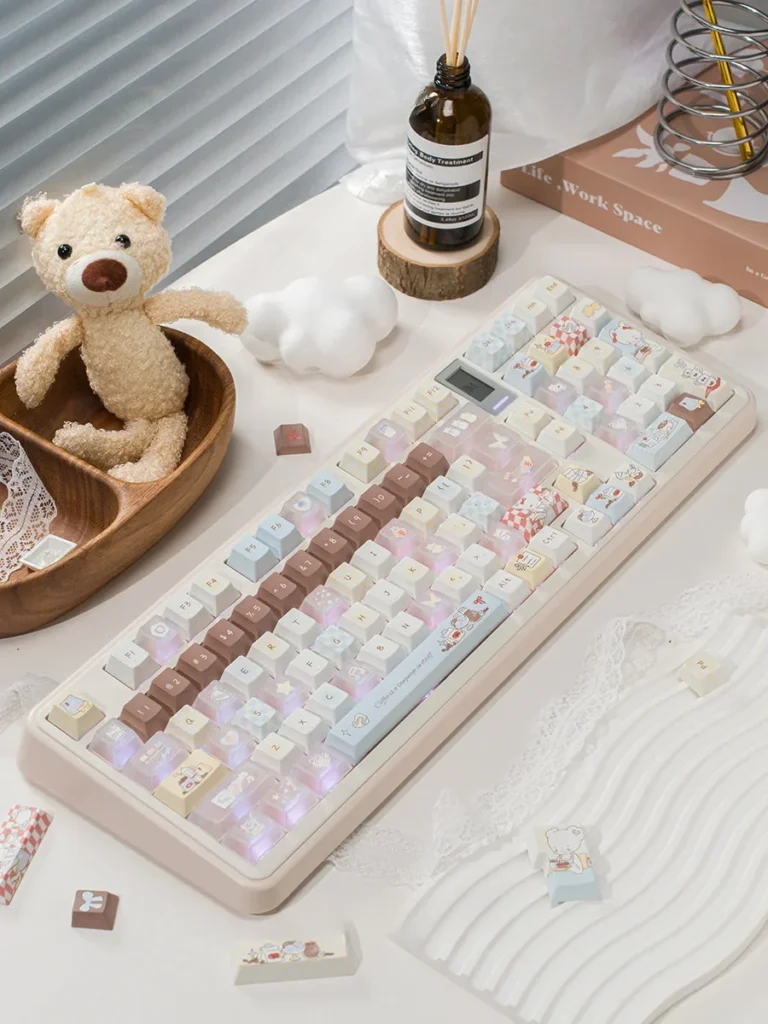
The Bear Cafe Cherry Keycap Set is a useful example of broad layout support. Its listing offers a 143-key full set and a 26-key supplement option, uses PBT and luminous PC components, and lists support for 61-, 68-, 75-, 87-, and 108-key layouts across Windows and macOS. The important checkout step is choosing the full set rather than the supplement kit when you need to replace an entire board.
The Magical Ethereal Frosted Cherry Keycap Set is another cross-platform starting point. The listing describes PBT and PC options for MX-style switches, with Windows and macOS support, and also separates a 143-key full set from a 26-key supplement set. Choose it for the frosted look, but verify the selected material and kit because the product has multiple variants.
Good Starting Points for Windows and Custom Boards
The Command PBT Keycap Set focuses on broad physical coverage: 135 PBT keys, Cherry profile, MX-style stems, and listed support for 60%, 65%, 75%, TKL, and full-size layouts. Its “Command” theme is a design name, so inspect the modifier photos rather than assuming it is an Apple-specific Command kit.
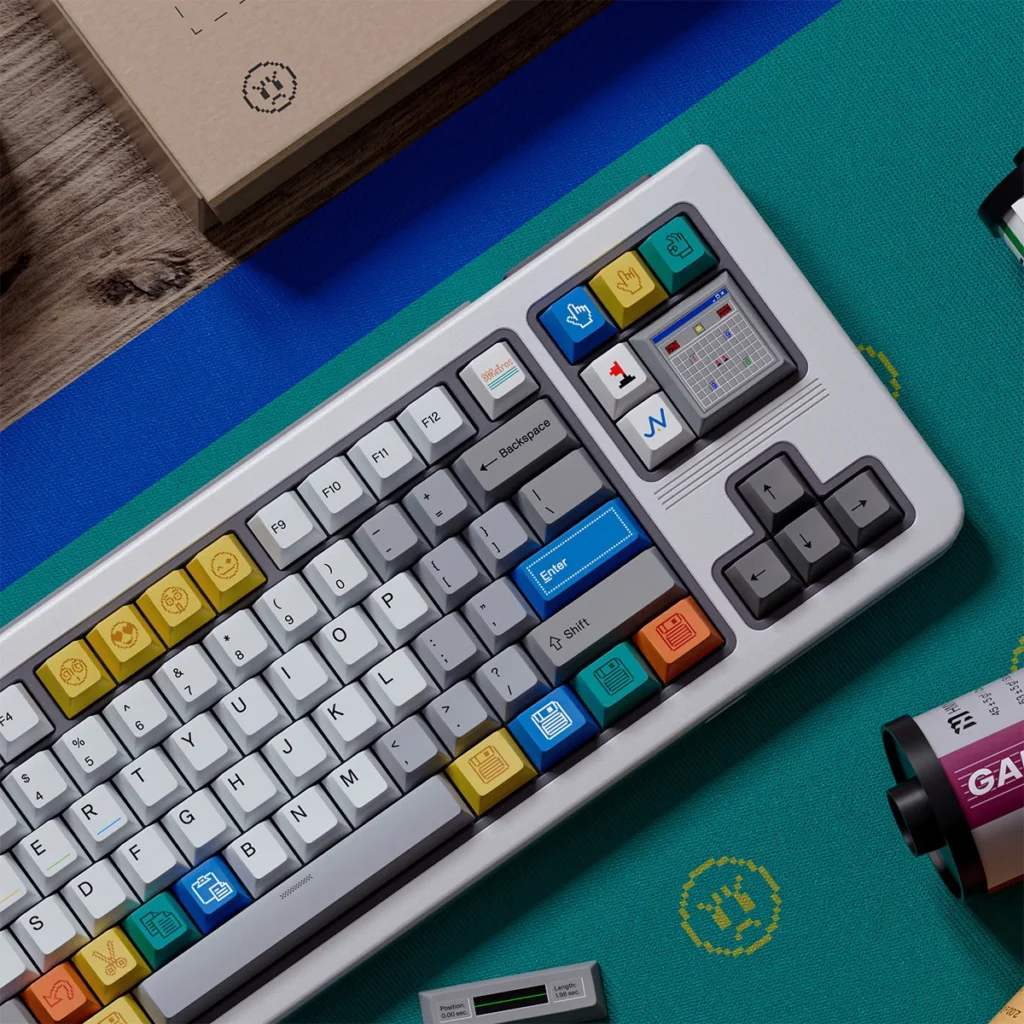
For a deliberately Windows-themed setup, the Win 1998 Cherry Keycap Set uses a retro Windows-inspired design. Its listing specifies PBT, Cherry profile, MX-style stems, and support for 60%, 65%, 75%, TKL, and full-size layouts. As with any themed set, compare the included modifiers with your exact board before buying.
Quick Comparison
| Set | Verified listing details | Check before checkout |
|---|---|---|
| Bear Cafe | 143-key full set or 26-key supplement; PBT and PC; Windows and macOS listed | Select the full set if replacing the whole board |
| Magical Ethereal Frosted | 143-key full set or 26-key supplement; PBT/PC options; MX-style stems | Confirm the selected material and kit variant |
| Command | 135 keys; PBT; Cherry profile; MX-style stems | Inspect the modifier legends; “Command” is the theme name |
| Win 1998 | PBT; Cherry profile; MX-style stems; multiple common board sizes listed | Compare the included bottom-row and specialty keys |
Common Buying Mistakes
- Buying a supplement kit when you intended to buy a full keycap set.
- Assuming a high key count guarantees support for every 65% or 75% layout.
- Checking the operating-system label but not the switch stem.
- Forgetting ISO Enter, short right Shift, spacebar width, or numpad coverage.
- Mixing profiles without checking the row height of an accent key.
- Assuming every translucent cap has shine-through legends.
How to Choose in Two Minutes
- Remove one keycap and confirm the stem type.
- Write down the keyboard model, layout, and size.
- Compare the product’s included-key diagram with your right Shift, bottom row, and spacebar.
- Check whether you need Command/Option legends or are comfortable with Windows-style modifiers.
- Confirm the exact product variation, key count, material, and shipping estimate before payment.
To continue browsing, start with all keycaps or narrow the catalog to Cherry profile keycaps. Product-page specifications should make the final decision; category labels and photos are only the starting point.
Frequently Asked Questions
Can Windows keycaps work on a Mac?
Yes, if the stem and key sizes match. The physical caps can work even when the legends show Alt and the Windows logo instead of Option and Command. You may need to remap modifier functions in macOS or accept the different printed labels.
Do I need dual legends?
No. Dual legends are convenient for a keyboard shared between systems, but separate Mac modifier keys or memorized shortcuts can work just as well. Verify what “dual legend” means on the specific listing.
How do I know whether a set fits a 65% or 75% keyboard?
Do not rely on the percentage alone. Compare the included-key diagram with your right Shift, navigation column, bottom row, and spacebar. Two keyboards with the same percentage can use different key widths.